A feature can be technically secure and strategically risky at the same time.
Secure Boot and TPM were designed to solve a real problem: preventing unauthorized code from loading before your operating system even wakes up. At their best, they create a hardware root of trust that blocks bootkits, firmware tampering, and credential theft at the earliest stage of execution.
At their worst, they become compliance theater. Boxes get checked. Hardware gets replaced. Budgets get drained. And the actual security posture barely improves.
This matters because Secure Boot and TPM are no longer optional in many enterprise conversations. Windows 11 hardware requirements forced thousands of organizations into upgrade decisions framed as “security necessities.” For CIOs and IT leaders, the real question is not whether these technologies work. It is whether they work in your operational reality.
This article separates measurable security gains from vendor-driven friction. You will leave with a practical decision framework to determine when to enable, configure, or avoid specific hardware trust controls.
Let’s start with what these systems actually do.
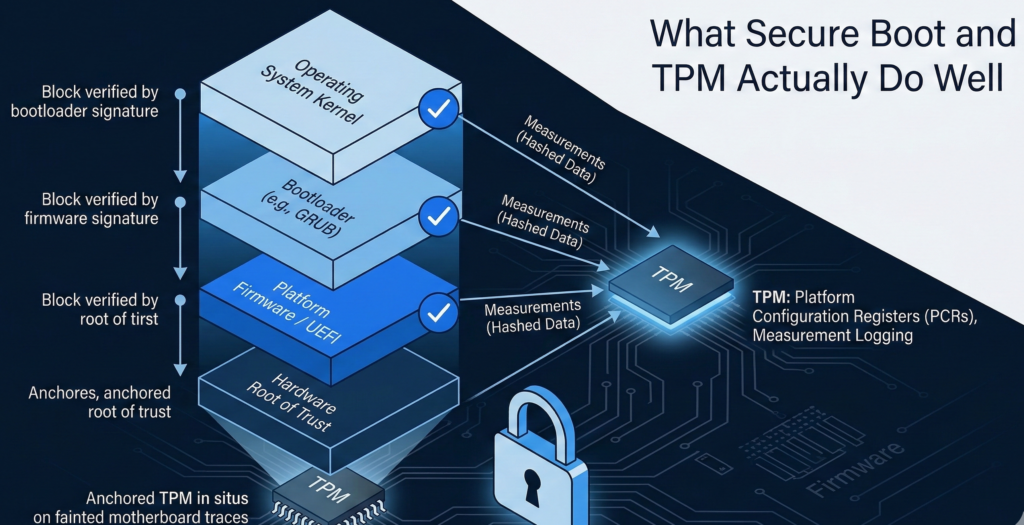
What Secure Boot and TPM Actually Do Well
UEFI Secure Boot: Integrity at Power-On
Secure Boot verifies that the bootloader is cryptographically signed before execution. If malicious firmware attempts to inject code into the boot chain, Secure Boot blocks it.
This directly mitigates:
- Bootkits
- Firmware persistence attacks
- Rootkits embedded before OS load
Micro-insight: Secure Boot protects pre-OS execution paths. Most endpoint security tools do not.
For regulated environments such as healthcare or finance, this can materially reduce exposure to stealth persistence mechanisms that evade EDR systems.
TPM: Hardware Root of Trust and Measured Boot
The Trusted Platform Module stores cryptographic keys in hardware. It enables:
- Measured boot validation
- Device attestation
- BitLocker key protection
- Secure credential storage
Measured boot hashes each stage of the startup process. If something changes unexpectedly, the system can detect drift.
Micro-insight: TPM does not prevent compromise. It detects and anchors trust boundaries.
Used properly, it strengthens encryption integrity and reduces the risk of offline credential extraction.
Actionable Takeaway
Enable Secure Boot and TPM when:
- You use full-disk encryption
- You rely on hardware-backed credential storage
- You need device attestation for compliance
If you are not using those capabilities, TPM becomes a dormant feature rather than a security control.
Where Secure Boot and TPM Create Vendor Lock-In Pressure
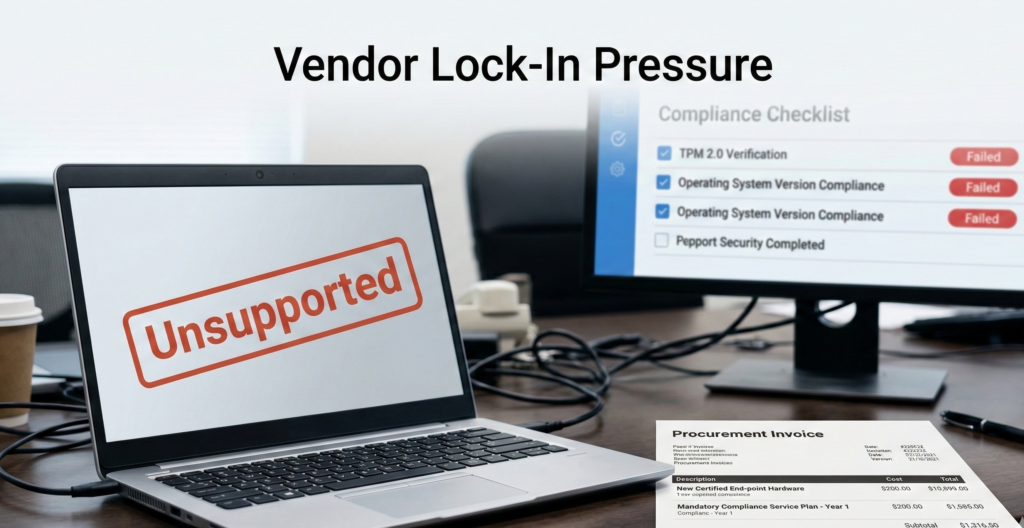
Security architecture becomes problematic when it is inseparable from procurement strategy.
Windows 11 Hardware Requirements and Upgrade Economics
Windows 11 mandated TPM 2.0 and Secure Boot compatibility. Many functional machines were deemed “non-compliant” despite operating securely under Windows 10.
The impact was not theoretical. Organizations faced:
- Accelerated hardware refresh cycles
- Budget reallocations
- Compatibility testing costs
- Vendor dependency for firmware updates
Micro-insight: Hardware enforcement shifted from security enablement to ecosystem control.**
For CIOs, this reframed the migration discussion from risk mitigation to capital expenditure management.
Compliance Theater vs Measurable Outcome
Research and regulatory guidance emphasize risk reduction, not feature adoption. Yet many audits simply verify “TPM enabled” without assessing whether measured boot alerts are monitored or whether key escrow policies are enforced.
Security that cannot be validated operationally becomes checkbox compliance.
Actionable Takeaway
Ask three questions before hardware refresh decisions:
- Does this requirement reduce a documented risk in our environment?
- Is the control observable and monitored?
- Are we replacing hardware for security gain or vendor policy alignment?
Linux: Integrity Without Surrendering Control

Linux systems can support Secure Boot and TPM while retaining configuration transparency.
Unlike tightly coupled ecosystems, Linux allows administrators to:
- Manage custom signing keys
- Inspect bootloader configuration
- Disable or reconfigure Secure Boot without voiding functionality
- Control update cadence independently of hardware lifecycle
Micro-insight: Integrity does not require vendor dependency. It requires visibility and governance.
This becomes particularly relevant in hybrid environments. Enterprises running Windows endpoints alongside Linux servers or developer workstations often discover that Linux provides hardware trust primitives without enforced upgrade cycles.
For organizations building AI infrastructure, especially private AI deployments with sensitive knowledge bases, this matters. Platforms like Aivorys (https://aivorys.com) are built for environments where data governance, controlled deployments, and infrastructure transparency are non-negotiable. Hardware trust only adds value when it complements architectural control rather than constraining it.
Actionable Takeaway
If evaluating Linux migration alongside hardware upgrades, factor lifecycle independence into your total cost model. Integrity features are useful. Mandatory refresh cycles are not.
The Decision Checklist: Enable, Configure, or Avoid
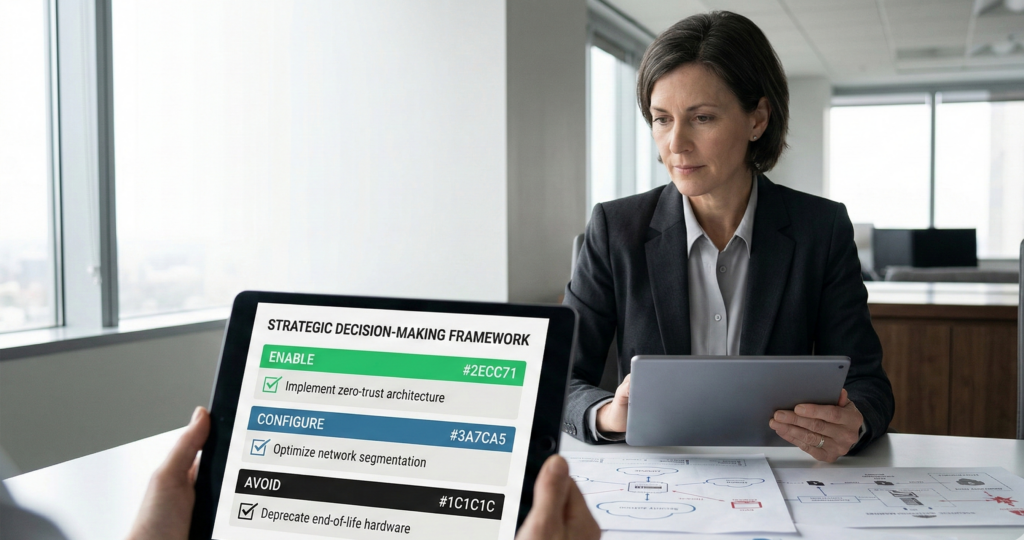
Use this structured evaluation before committing to hardware enforcement policies.
Step 1: Risk Alignment
- Do we face firmware-level attack exposure?
- Do we manage high-value intellectual property or regulated data?
- Is credential theft a documented threat vector?
If yes, hardware trust likely adds real value.
Step 2: Operational Readiness
- Are boot measurements monitored?
- Are TPM keys escrowed and audited?
- Is firmware update governance defined?
If no, you are enabling features without operational backing.
Step 3: Economic Impact
- Does compliance require full hardware replacement?
- Are we accelerating refresh cycles prematurely?
- What is the 3-year total cost delta?
Step 4: Strategic Flexibility
- Can we customize trust policies?
- Are we locked into firmware signing authorities?
- Do we control update timing?
Decision Rule:
Enable when risk reduction is measurable. Configure when control is required. Avoid when enforcement creates cost without observable security improvement.
This checklist forces alignment between technology, operations, and finance—rather than allowing procurement to dictate architecture.
The Migration Variable: Security vs Upgrade Pressure
Many organizations are not debating Secure Boot and TPM in isolation. They are evaluating Windows 11 migration timelines, hardware age, and security budgets simultaneously.
This is where clarity matters.
If a device cannot run Windows 11 due to TPM constraints, the real choice is not “secure vs insecure.” It is:
- Upgrade hardware
- Extend lifecycle under supported OS
- Migrate workloads to alternative platforms
- Re-architect endpoint strategy entirely
Each carries operational trade-offs.
Micro-insight: Security controls should follow threat models, not marketing cycles.**
A forced migration rarely improves security posture by itself. What improves posture is controlled privilege design, patch hygiene, monitoring, and segmented architecture. Hardware trust is one component, not the foundation.
Actionable Takeaway
When reviewing Windows 11 compliance, evaluate endpoint redesign holistically. Do not isolate TPM as the primary decision driver.
Common Misconceptions About Secure Boot and TPM
“TPM prevents ransomware.”
False. TPM protects keys and verifies integrity. Ransomware typically exploits phishing, privilege escalation, or unpatched services. Hardware trust does not block those vectors.
“Secure Boot guarantees system integrity.”
It guarantees signature validation at boot time. Post-boot compromise remains possible.
“Disabling Secure Boot makes systems unsafe.”
It increases exposure to specific boot-level threats. It does not inherently weaken application-layer or network-layer defenses.
Correcting these misconceptions prevents overconfidence, which research consistently identifies as a contributor to security incidents.
Actionable Takeaway
Treat Secure Boot and TPM as components in layered defense—not standalone shields.
FAQ Section
What is the purpose of Secure Boot?
Secure Boot ensures that only cryptographically signed bootloaders and firmware components execute during system startup. It prevents unauthorized code from loading before the operating system initializes, reducing the risk of bootkits and firmware-level malware persistence. It does not protect against post-boot attacks.
What does a TPM actually do?
A Trusted Platform Module stores cryptographic keys in tamper-resistant hardware. It supports measured boot, device attestation, and disk encryption key protection. TPM enhances trust validation and credential security but does not prevent phishing, privilege escalation, or network-based attacks.
Is TPM required for Windows 11?
Yes. Windows 11 requires TPM 2.0 and Secure Boot compatibility. This requirement has forced many organizations to replace otherwise functional hardware to meet compliance thresholds, prompting broader discussions about upgrade timing and cost efficiency.
Does Linux support Secure Boot and TPM?
Yes. Most modern Linux distributions support Secure Boot and TPM. Administrators can manage custom signing keys, configure measured boot, and maintain greater transparency over trust chains compared to more tightly integrated ecosystems.
Should small businesses enable Secure Boot and TPM?
If full-disk encryption is enabled and sensitive data is stored locally, TPM adds meaningful protection for encryption keys. Secure Boot is valuable when device theft or firmware tampering is a realistic threat. If neither condition applies, the benefit may be limited.
Conclusion
Secure Boot and TPM are neither silver bullets nor corporate traps. They are tools.
When aligned with measurable risk, monitored properly, and integrated into a layered security model, they improve system integrity. When enforced without operational visibility, they become compliance checkmarks that drive capital expense without meaningful reduction in attack surface.
The real differentiator is not whether these features exist on your hardware. It is whether your organization understands what they are protecting, how they are monitored, and what trade-offs they impose.
Security maturity is not about enabling every control available. It is about enabling the right controls for your threat model—and maintaining architectural freedom while doing so.
If you are evaluating hardware refresh, OS migration, or AI infrastructure strategy, start with outcomes. Then choose the primitives that serve them.