


Security failures rarely happen because someone forgot a firewall rule.
They happen because hardening was treated like a weekend project. A flurry of lockdown changes. A few broken services. Frustrated staff. Then gradual rollback until the system is “working again.”
That cycle quietly kills security posture.
Linux server hardening works when it is staged, measurable, and maintainable. Not when it is a one-time “lock everything down” event.
For small and mid-sized businesses, the goal is not theoretical perfection. It is a baseline your team can sustain without needing a full-time security engineer.
This guide outlines a practical Linux server hardening baseline, the controls that matter most, and a 30/60/90-day roadmap that strengthens security without breaking operations.
Why Most Linux Server Hardening Efforts Fail
The myth: Linux is secure by default.
The truth: Linux gives you strong primitives. Whether they are configured properly is another matter.
Common failure patterns I see during audits:
- SSH open to the world with password authentication enabled
- Firewall installed but not actively managed
- Updates applied reactively instead of on policy
- No central logging or alerting
- Backups that have never been restored in testing
Security degrades when configuration drifts and no one owns verification.
Hardening must answer two questions:
- What is our baseline configuration?
- How do we prove it remains intact over time?
If you cannot measure it, it will decay.
Takeaway: Define hardening as a living standard with verification checkpoints, not a checklist completed once.
The Baseline: SSH, Firewall, Updates, and Services
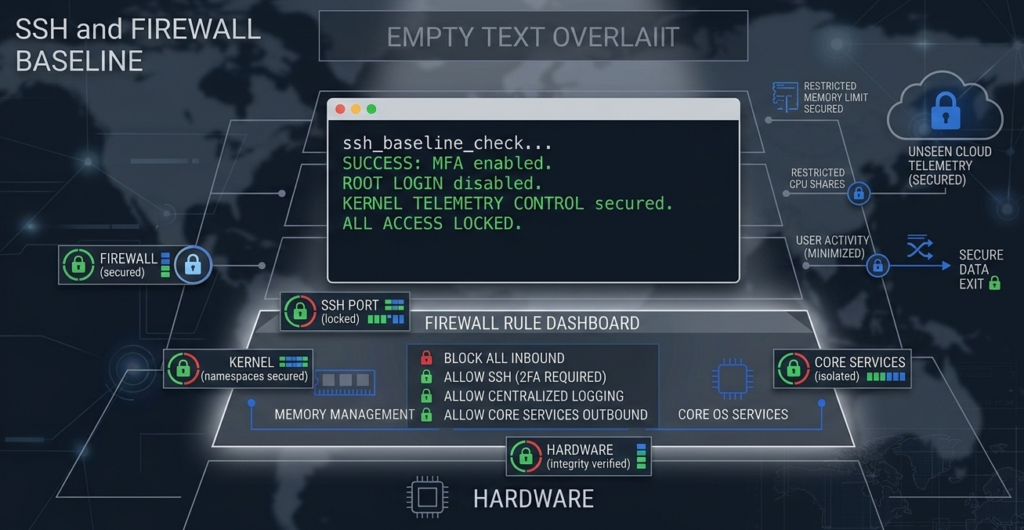
If you do nothing else, get these four categories right.
1. SSH Hardening
SSH is the front door. Treat it like one.
Baseline controls:
- Disable password authentication
- Enforce key-based login only
- Change default SSH port or restrict via firewall
- Limit access by IP where possible
- Disable root login
- Implement fail2ban or rate limiting
Key insight: Reducing brute-force noise lowers operational risk and alert fatigue simultaneously.
For SMBs migrating from Windows environments, this is often the first cultural shift. Remote Desktop habits do not translate safely to exposed SSH.
[INTERNAL LINK: Migrating to Linux from Windows – A Practical Guide]
2. Firewall Configuration
Install and actively manage UFW, firewalld, or iptables.
Principles:
- Default deny inbound
- Explicitly allow only required ports
- Restrict management ports to internal IP ranges
- Review rules quarterly
A firewall is not protection if it becomes fossilized configuration.
3. Patch Management
Linux server hardening includes structured update policy:
- Security updates weekly
- Kernel updates staged and tested
- Maintenance windows defined in advance
- Automatic security patching where appropriate
Unpatched services create silent risk accumulation. Attackers exploit delay, not complexity.
4. Service Minimization
Run only what you need:
- Disable unused daemons
- Remove legacy packages
- Avoid running development tools on production systems
Each active service increases attack surface.
Takeaway: SSH, firewall, patching, and service control form the non-negotiable baseline. Everything else builds on this foundation.
Logging, Audit Trails, and Alerting: Visibility Is Control

Hardening without logging is like installing cameras with no recording.
Minimum viable logging stack:
- System logs retained for 90 days
- SSH login attempts monitored
- Sudo usage logged
- Failed authentication alerts triggered
- Disk and CPU anomalies flagged
Use rsyslog, journald forwarding, or a centralized log aggregator.
For regulated industries such as healthcare or finance, audit trails are not optional. Regulatory guidance consistently emphasizes access logging and incident traceability.
What competitors often miss: Logging must include review cadence.
If no one reviews logs weekly or configures alerts, logs become digital sediment.
Where AI systems intersect with operations, audit visibility becomes even more critical. Platforms like Aivorys (https://aivorys.com) are built for this exact use case — private AI with controlled data handling, voice automation, and CRM-connected workflows out of the box — and those deployments require the same discipline around logging, access control, and auditability as any core server infrastructure.
Takeaway: Logging is not about data collection. It is about shortening detection time.
Backups and Restore Testing Are Security Controls
Ransomware does not care how strong your SSH configuration is.
If you cannot restore cleanly, you are exposed.
A mature Linux backup strategy includes:
- Offsite backups
- Encrypted backup storage
- Immutable or versioned snapshots
- Automated backup verification
- Quarterly restore testing
Restore testing is where most SMBs fail.
Backups are treated as insurance. In reality, they are a recovery mechanism that must be rehearsed.
In migration projects from Windows to Linux, the emphasis should be on verification and validation:
- Validate file permissions after restore
- Confirm application dependencies load correctly
- Measure time-to-recovery
A backup that has never been restored is a hypothesis, not a control.
Takeaway: Treat restore testing as part of hardening, not disaster recovery theater.
The 30/60/90-Day Linux Server Hardening Roadmap
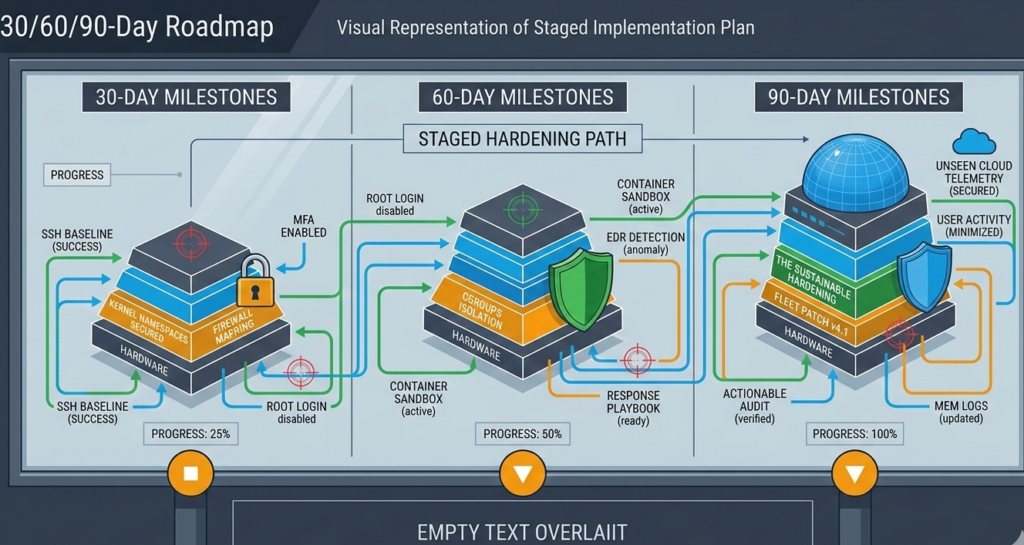
Hardening should be staged.
First 30 Days: Stabilize the Perimeter
- SSH hardened and restricted
- Firewall default deny implemented
- Security update policy defined
- Baseline configuration documented
- Initial full backup completed
Goal: Close obvious exposure without disrupting production.
Days 31–60: Visibility and Resilience
- Centralized logging implemented
- Alerts configured for authentication failures
- Offsite encrypted backups verified
- Restore test performed
- Service inventory reviewed
Goal: Gain visibility and recovery confidence.
Days 61–90: Sustain and Measure
- Quarterly patch cycle defined
- Access reviews documented
- Firewall rule audit conducted
- Configuration management standardized
- Incident response playbook drafted
Goal: Convert improvements into repeatable governance.
Hardening succeeds when it becomes operational muscle memory.
A Practical Scoring Rubric for SMB Linux Hardening
Use this simple 20-point model:
| Category | Max Points |
|---|---|
| SSH hardened and restricted | 4 |
| Firewall properly configured | 4 |
| Patch management policy enforced | 4 |
| Logging + alerts active | 4 |
| Backups tested and validated | 4 |
Score interpretation:
- 0–8: High exposure
- 9–14: Basic hygiene present
- 15–18: Operationally sound
- 19–20: Sustainable baseline
This rubric forces clarity. No vague “we’re mostly secure” answers.
Takeaway: If you cannot score it, you cannot manage it.
Migrating to Linux from Windows: Hardening Considerations
Migration introduces complexity:
- Permission models differ
- Service architecture changes
- Admin habits carry over
Common mistake: replicating Windows access sprawl in Linux.
Linux migration security should prioritize:
- Principle of least privilege
- Role-based access instead of shared credentials
- Clean service installs rather than legacy porting
[INTERNAL LINK: Linux Migration Security Checklist]
Hardening during migration is easier than retrofitting later.
Takeaway: Migration is an opportunity to reset security posture, not replicate old weaknesses.
FAQ: Linux Server Hardening for SMBs
What is Linux server hardening?
Linux server hardening is the process of reducing a server’s attack surface by configuring secure defaults, restricting access, applying patches, limiting services, enabling logging, and validating backups. It transforms a general-purpose server into a purpose-built, defensible system aligned with operational needs.
How often should Linux servers be patched?
Security updates should be applied weekly or automated where risk tolerance allows. Kernel and major version updates should be staged and tested during defined maintenance windows. Consistency matters more than frequency alone.
Is a firewall enough to secure a Linux server?
No. A firewall limits network exposure, but does not address weak SSH settings, outdated packages, misconfigured services, or lack of monitoring. Effective Linux server hardening combines network control, patching, logging, and recovery planning.
Do small businesses really need logging and audit trails?
Yes. Even small teams benefit from knowing who accessed systems and when. Logging shortens incident detection time and supports regulatory requirements in industries like healthcare, finance, and legal services.
Why is restore testing considered a security practice?
Because ransomware and destructive attacks test your ability to recover. Restore testing confirms backups are usable, permissions are intact, and recovery time objectives are realistic. Without it, backups are theoretical.
Conclusion: Hardening Is a Discipline, Not a Switch
Linux server hardening is not about achieving a mythical “fully secure” state.
It is about disciplined reduction of risk through baseline control, visibility, and recovery validation.
When staged correctly, hardening does not break operations. It strengthens them. Your team works with clarity. Alerts become meaningful. Backups become reliable. Configuration becomes intentional.
Security maturity in SMB environments is rarely about advanced tooling. It is about sustained fundamentals executed consistently over time.
Start with the baseline. Measure it. Review it. Evolve it.
That is how hardening becomes habit instead of heroics.